Everything MemoryBank does
Every account your kid has. One place they can actually see.
529s. UTMAs. Roth IRAs. Savings. Trump Accounts. A dashboard built for kids, an AI mentor that teaches financial literacy at their age, and an app for the devices they already use.


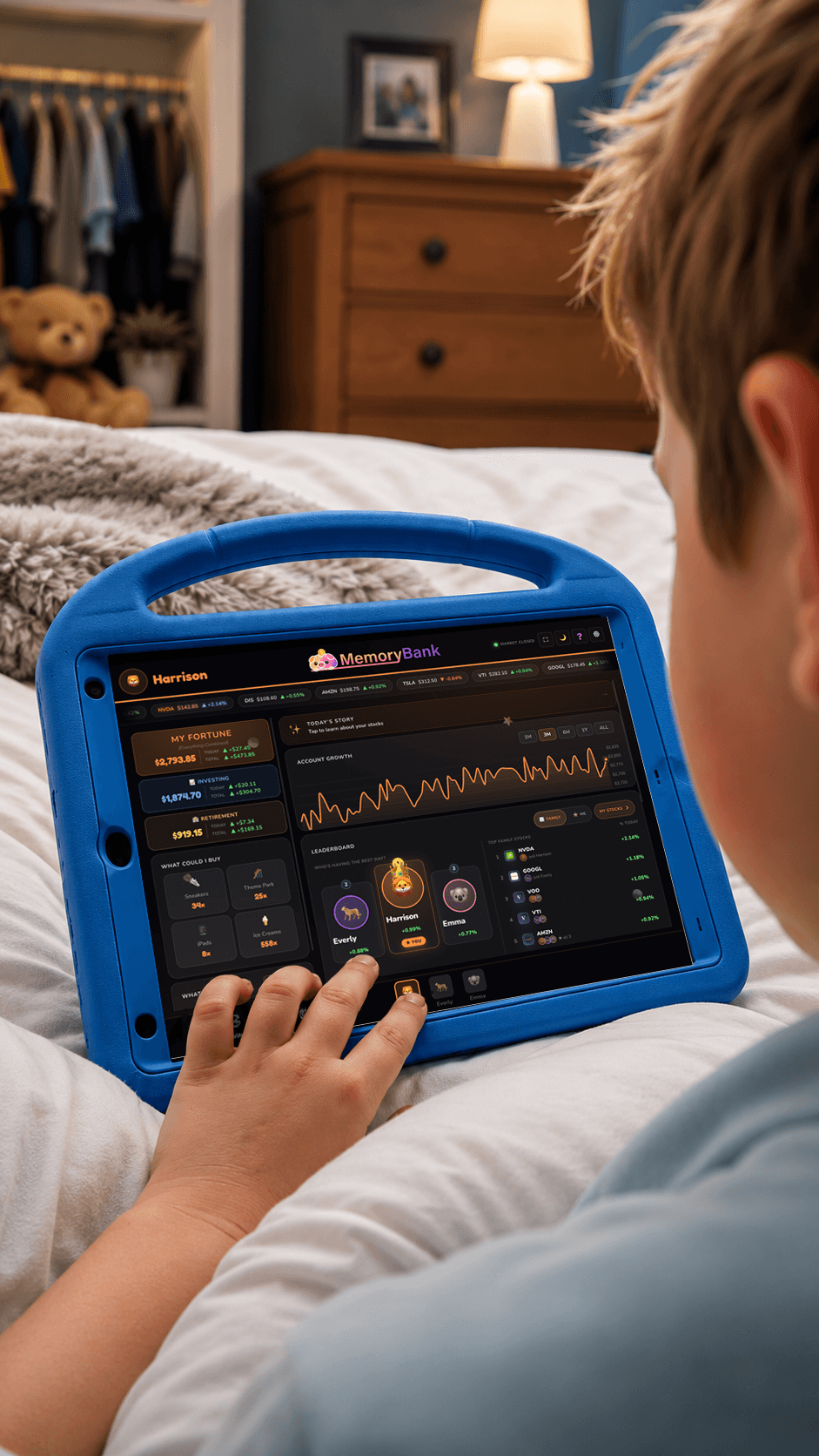 Harrison · his own dashboard
One dashboard, every institution
Track a 529, UTMA, Roth IRA and savings account together.
A kid’s money ends up scattered across three logins nobody opens. Connect each one once and it all lands in a single view per child — with the total, and how it’s grown.
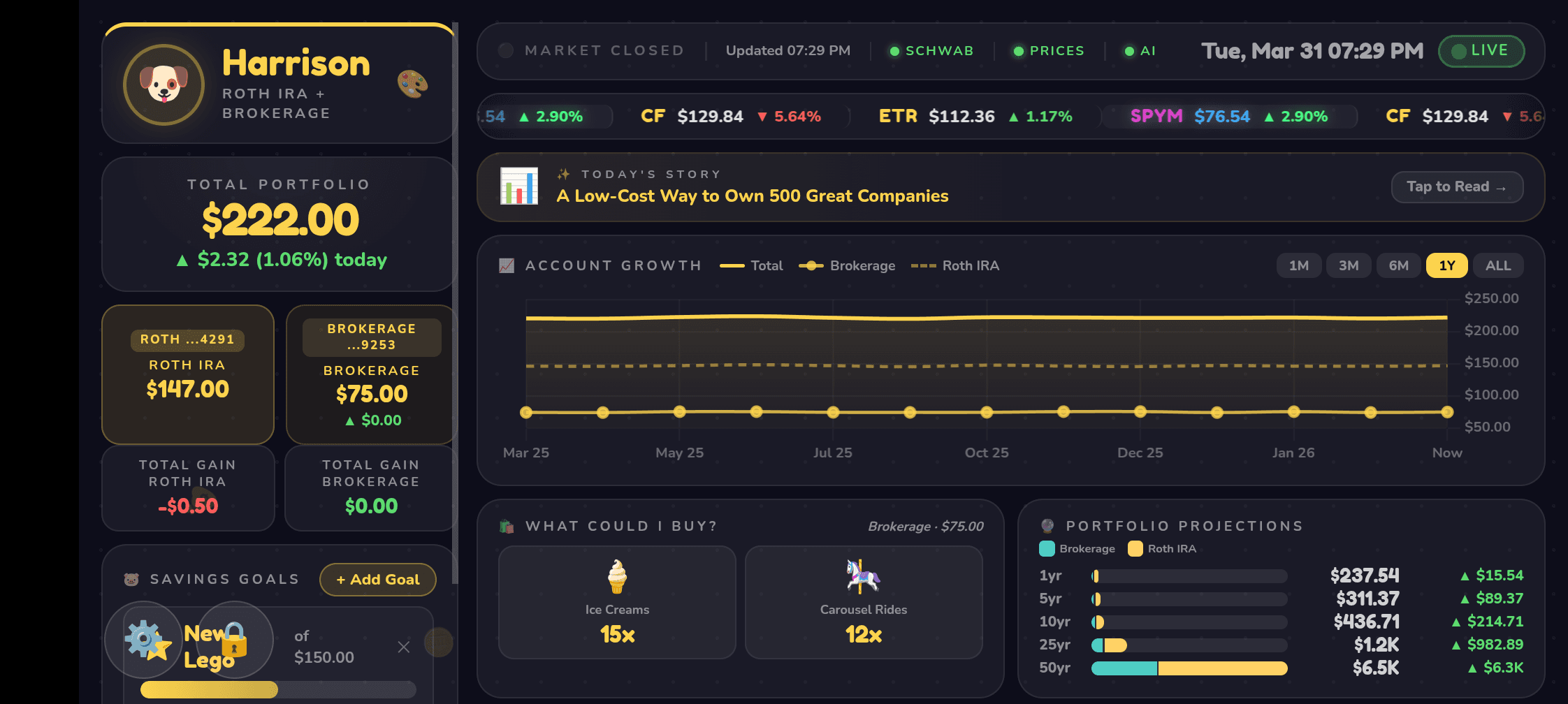
- Balances sync automatically from 10,000+ banks, brokerages and 529 plans — or type in any holding by hand
- Total value and lifetime growth per child, at a glance
- Live prices, including pre-market and after-hours
- Read-only by design — kids and MemoryBank can never move a dollar
529 tracker
A 529 tracker that lives next to everything else.
The plan’s portal is where the money lives. It isn’t where anyone watches it grow. Connect it once and stop resetting that password every spring.
- Shows the balance, how much is growth rather than deposits, and the change over time
- Your child sees it as their College Fund, with an explanation pitched at their age
- Two 529s in two states? Each connects and is assigned to the right child
- Plan not linkable? Add it by hand and update it when a statement arrives
Custodial account tracker
A UTMA tracker with the numbers that actually teach.
A balance on its own tells a child nothing. Split it into what you put in and what the market added, and it becomes the whole idea of investing in one number.
- Every holding shown with the company's logo — the account where a 7-year-old finds out they own a sliver of something real
- Growth since day one and this year's contributions, separately
- Money shown at age milestones, so the handover at 18 or 21 is a plan rather than a surprise
A custodial account is your child’s money, managed by you until the age of majority in your state. The four numbers worth watching — and the one with a deadline — are in the custodial account guide; your state’s date is in the age-of-majority table.
Financial literacy for kids
Financial literacy, built into the app at their age.
Not a course. A mentor who answers the question they just had, about the money they actually own, in words a 7-year-old or a 16-year-old understands.
Penny · their AI money mentor

For you: 85 free guides in financial literacy for kids, by age.
Real money, priced in real things
Their actual total, divided by the price of things a kid can picture. Thirty items, four at a time, rotating every minute. When a single stock gains, its story does the same: “your $42 of growth is 3 free pizzas.”
A money word a week, at their age
Don’t keep all your eggs in one basket. Owning lots of different companies means one bad day can’t wreck everything.
A new word every week, defined for their age and quizzed the week after. Every answer is kept, so you can see what actually stuck. Part of the weekly recap on paid plans.
Built for kids
Their own view. No login, nothing to spend.
Pair a device once with a short code or a QR scan. It opens straight to that child — their name, their colour, their animal, their accounts — and can never touch the money.
iPhone · Android · web
A kids’ investing app for the devices you already own.
Native apps for iPhone and Android, and the same dashboard in any browser. A phone is where a child looks at something voluntarily.
- Native apps on the App Store and Google Play, plus any browser
- Frame mode cross-fades your Google Photos when idle — tap to wake into the dashboard

The whole family
One dashboard. A view for everyone in the family.
Parents run it. Grandparents can be invited. Kids get their own.
Parents see everything
- Every child and every account on one screen — up to 10 kids on the Family plan
- Connect accounts, set savings goals, pair a kid's device and revoke it anytime
- Compare contributions rather than balances when siblings ask who has more
Grandparents can be invited
- An invite by email and their own secure login — no shared passwords
- The same family view you have, so they can follow every grandchild
- Co-parents work the same way; remove anyone from the family in a tap
Kids get their own
- Their own dashboard — their name, colour, animal, accounts and savings goals
- Flip to a sibling to see how their day went; the leaderboard shows who's having the best one
- View-only on every device: nothing to spend, nothing to move
 Read-only
Security
Bank-grade and read-only, by design.
- Read-only connections by Plaid — the same tech behind Venmo and Robinhood
- Secure sign-in, SOC 2 Type II audited via Clerk
- Data encrypted at rest (AES-256)
- We never store account numbers or passwords
- Pair a kid's device once; revoke it anytime
- No shared logins, ever
Questions parents ask
Short answers. The long ones are in the FAQ.
Is there an app to track my kid's 529 plan?
Can I track a UTMA and a 529 together?
Does MemoryBank teach kids financial literacy?
Can my child see their accounts without a login?
Can MemoryBank or my child move money?
Does it work with my brokerage or 529 plan?
Their money is growing. Let them see it.
Free to start for up to 3 kids. Paid plans add live account sync, AI stock stories, Penny, and the weekly recap.
Free to start · No credit card required · Works with 10,000+ banks, brokerages and 529 plans